Diagrams Your AI Agent Can Read
A ranked guide to diagram formats for repos that AI agents now read alongside humans: ASCII, Mermaid, C4-as-code, and why draw.io should never be your source of truth.
Open in
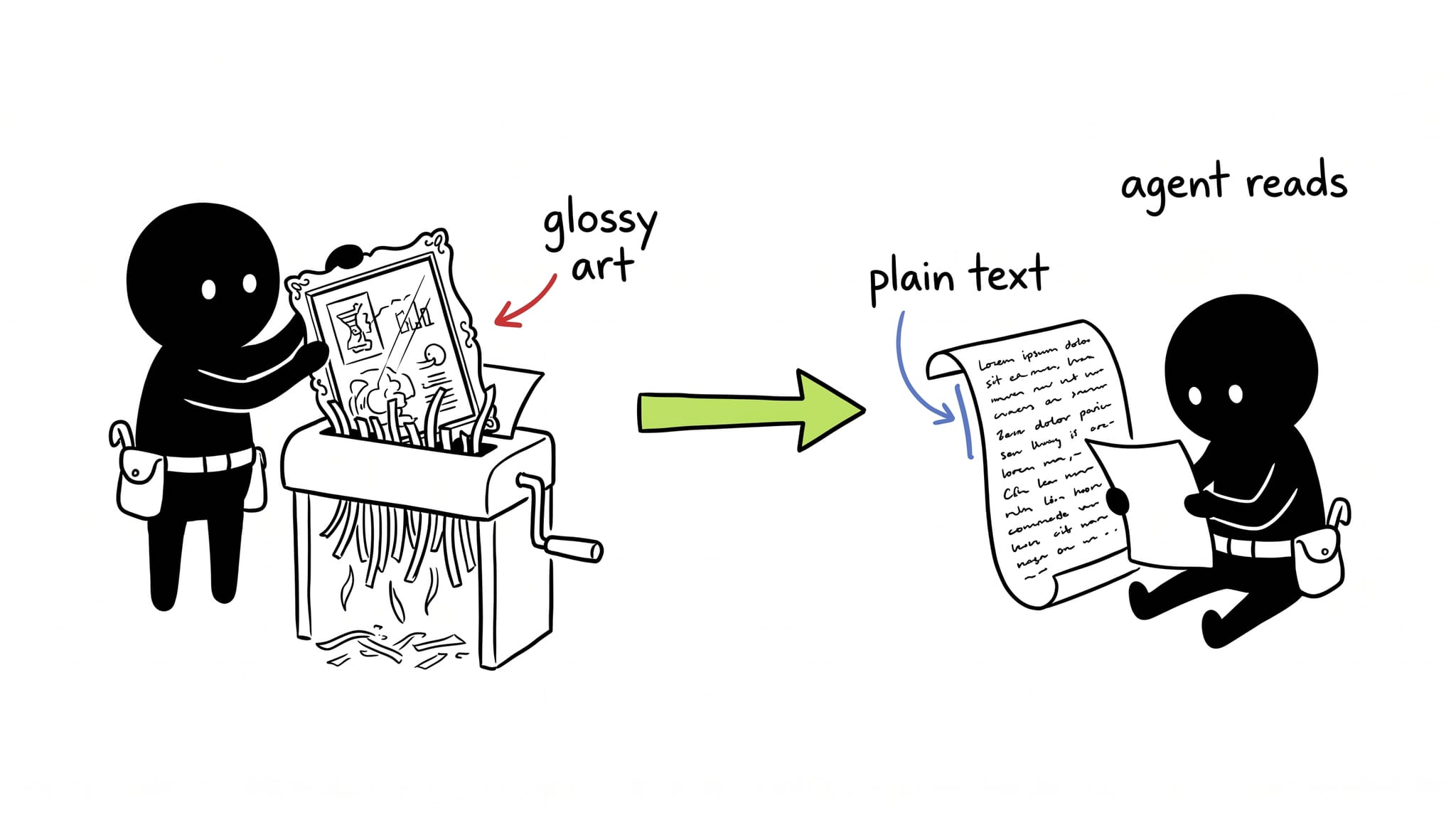
Architecture diagrams used to have one audience: the next engineer who opens the file. They skim a box-and-arrow picture, build a mental model, move on. Now a second reader opens the same repo: an agent that greps for context and sometimes edits the diagram itself. A format that looks great on a slide can be unreadable to that agent, and a format the agent edits cleanly can still be the right pick for a human skimming it. The two audiences don’t rank these formats the same way, so the choice has to account for both.
The ranking
| Format | Best for | Why |
|---|---|---|
| ASCII | Agent scratch-reasoning, terminal sessions | Zero tooling, smallest token footprint, trivial to embed inline in a prompt or commit message |
| Mermaid | PR descriptions, markdown docs | Renders natively on GitHub, heavily represented in LLM training data, good enough for most flows and sequences |
| C4-as-code (Structurizr DSL, LikeC4) | Architecture source of truth | A semantic model of typed systems, containers, and relationships, so one edit propagates to every generated view |
| draw.io / Visio | Final stakeholder decks only | Binary or layout-heavy XML; an agent sees <mxCell style="rounded=1..."> and learns nothing about what the system does |
The pattern across the top three is text in, structure out. An agent can grep an ASCII diagram, parse a Mermaid flowchart’s node and edge list, or read a C4 model’s typed elements, and all three diff cleanly in git. draw.io fails on every count: it’s a visual format stored as a file, not a text format that happens to render visually.
Mermaid sits in the middle: it’s familiar, not semantically smart. A Mermaid flowchart is still shapes and labeled arrows. A --> B doesn’t know that A is a container and B is an external system, so nothing stops you from drawing an invalid C4 diagram in valid Mermaid syntax. Reach for it as the default for a quick PR diagram. Skip it for anything that needs to stay correct as the system grows, since only the author’s discipline enforces that correctness, not the tool.
Where the model lives vs. where it renders
C4-as-code closes that gap: model the system once, in a format with real semantics, then generate views from it instead of hand-drawing each one. This site does exactly that. architecture/model.c4 defines the system as typed LikeC4 elements (actors, containers, components, relationships), and architecture/views.c4 declares which slices of that model to render. The model is the source of truth; the views are generated, not maintained by hand. Three of those generated slices are explorable below, drilling from the full landscape down to the agent-facing path:
This post’s diagram mirrors one slice of that real model in Mermaid instead: the container-level view, with the agent-facing path picked out from the human-visitor path. Built it with my c4-views skill, which enforces the C4 rules above (one abstraction level per diagram, typed elements, labeled directed relationships) instead of leaving them to memory.
One note on the tooling: Mermaid’s native C4Container syntax (the one in the table above) renders this diagram badly, with overlapping labels, tangled arrows, and no visible boundary title. That’s the experimental-layout caveat catching up with a real diagram instead of a toy example. The fix was switching to Mermaid’s flowchart + subgraph + classDef pattern, which trades the C4-specific keywords for full control over layout and color. Rendered it to a static HD PNG with mmdc (@mermaid-js/mermaid-cli) so it shows up crisp everywhere, not just on renderers with a healthy native C4 implementation:
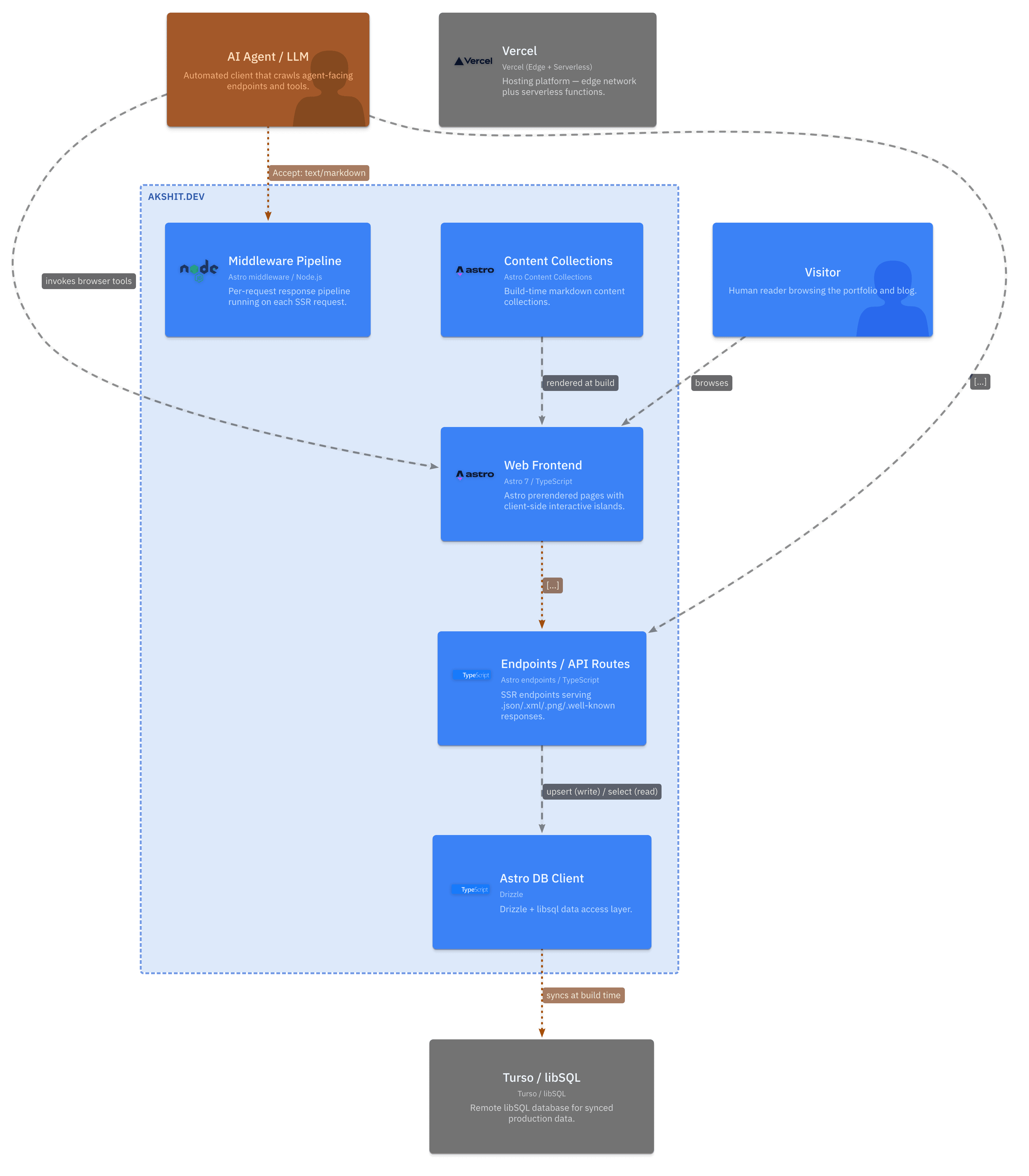
Diagram source, for anyone who wants the editable text instead of the picture:
flowchart TD
    visitor["<b>Visitor</b><br/><i>Person</i><br/>Human reader browsing<br/>the portfolio and blog"]
    agent["<b>AI Agent / LLM</b><br/><i>Person, external</i><br/>Automated client crawling<br/>agent-facing endpoints"]
    vercel["<b>Vercel</b><br/><i>External System</i><br/>Edge + Serverless hosting"]
    turso["<b>Turso / libSQL</b><br/><i>External System, DB</i><br/>Remote synced database"]

    subgraph portfolio["akshit.dev"]
        direction TD
        web["<b>Web Frontend</b><br/><i>Astro 7, TypeScript</i><br/>Prerendered pages +<br/>interactive islands"]
        middleware["<b>Middleware Pipeline</b><br/><i>Astro middleware, Node.js</i><br/>Markdown negotiation,<br/>CSP, link headers"]
        api["<b>Endpoints / API Routes</b><br/><i>Astro endpoints, TypeScript</i><br/>Reactions, search, RSS,<br/>OG images, well-known"]
        content["<b>Content Collections</b><br/><i>Astro Content Collections</i><br/>Build-time markdown"]
        db["<b>Astro DB Client</b><br/><i>Drizzle ORM, libSQL</i><br/>Reaction table access"]
    end

    visitor -->|"Browses pages over HTTPS"| web
    web -->|"Submits reaction clicks via HTTPS/POST + sendBeacon"| api
    api -->|"Upserts / reads via Drizzle"| db
    content -.->|"Renders into pages at build time"| web
    db -.->|"Syncs at build time (--remote)"| turso
    vercel -.->|"Hosts and serves"| web

    agent -->|"Requests markdown via Accept: text/markdown"| middleware
    agent -->|"Queries search.json and rss.xml"| api
    middleware -->|"Negotiates response format"| web

    classDef person fill:#1168bd,color:#fff,stroke:#0b4884
    classDef agentPerson fill:#b45309,color:#fff,stroke:#7c3a06
    classDef container fill:#438dd5,color:#fff,stroke:#2e6295
    classDef external fill:#999999,color:#fff,stroke:#6b6b6b
    classDef boundary fill:#f5f8fb,stroke:#1168bd,stroke-dasharray: 4 3

    class visitor person
    class agent agentPerson
    class web,middleware,api,content,db container
    class vercel,turso external
    class portfolio boundary

    linkStyle 6 stroke:#b45309,stroke-width:2px,color:#b45309
    linkStyle 7 stroke:#b45309,stroke-width:2px,color:#b45309
Most places that accept markdown only syntax-highlight a mermaid code fence instead of rendering it as a picture, so don’t assume the source above shows up as a diagram wherever you paste it. GitLab and recent GitHub render Mermaid; Confluence and Notion don’t. For those, export a static image instead of pasting the source: mermaid.live has a one-click PNG/SVG export for a one-off diagram, and mmdc does the same thing from the command line for anything you want regenerated on every commit, the same way the image above got generated.
Two relationships only exist because this model treats agents as a designed-for audience instead of an afterthought. The agent hits the middleware pipeline’s markdown-negotiation component to get Accept: text/markdown instead of HTML, and it queries search.json and rss.xml directly instead of scraping rendered pages. Draw the diagram a human alone would draw, and both relationships disappear.
Pair it with a manifest
A diagram answers what talks to what. It doesn’t explain why the system is built this way, or what the rule is for adding a new endpoint. A text manifest covers that gap. This repo’s own AGENTS.md names the package manager, marks which routes are on-demand versus prerendered, and points out where the path aliases resolve. An agent reads the manifest first for conventions, then the architecture model for structure, the same way a new hire reads a README before opening the codebase.
The verdict
Default to Mermaid for anything quick, reach for C4-as-code the moment a diagram needs to stay correct as the system grows, keep ASCII in your back pocket for terminal sessions, and never let draw.io near a file an agent is supposed to read.